Magento 2 - Type vs VirtualType
What is the differences between type and virtualType? in this article, I assume you already understand about the preferences & type. In this article, I tried to create custom command line of fiko:training
I defined helper file of
app/code/Fiko/Training/Helper/Data.php(scroll down to see the file).app/code/Fiko/Training/Console/Command/Testing.phpdefined for the custom command class.app/code/Fiko/Training/etc/di.xmlto define custom command and definetype&virtualType
The basic difference is: type will affect all instances, whereas virtualType affects only on sub-class (specific instances)
if you use
typeto change class attribute, it will be used by all instances. All instances / classes use that class (app/code/Fiko/Training/Helper/Data.php) will have this value.
app/code/Fiko/Training/Helper/Data.php
<?php

declare(strict_types=1);

namespace Fiko\Training\Helper;

class Data
{
    /** @var array */
    public $data;

    /**
     * Constructor
     *
     * @param array $data
     */
    public function __construct(array $data = [])
    {
        $this->data = $data;
    }

    /**
     * This method will return what's the bypassed parameter
     *
     * @param string $name
     * @return string
     */
    public function getName($name): string
    {
        return "{$this->data['prefix']} {$name}";
    }
}
Notes:
- This class is original file that I will use to practice.
app/code/Fiko/Training/Console/Command/Testing.php
<?php

declare(strict_types=1);

namespace Fiko\Training\Console\Command;

use Symfony\Component\Console\Command\Command;
use Symfony\Component\Console\Input\InputInterface;
use Symfony\Component\Console\Output\OutputInterface;

use Fiko\Training\Helper\Data as HelperData;

class Testing extends Command
{
    private $helper;

    public function __construct(HelperData $helper)
    {
        $this->helper = $helper;

        parent::__construct(null);
    }

    protected function configure(): void
    {
        $this->setName('fiko:training');

        parent::configure();
    }

    /**
     * Execute the command
     *
     * @param InputInterface $input
     * @param OutputInterface $output
     *
     * @return int
     */
     protected function execute(InputInterface $input, OutputInterface $output): int
     {
        $output->writeln($this->helper->getName('Borizqy'));

        return 1;
     }
}
Notes:
- this class is used as the command line executable class.
app/code/Fiko/Training/etc/di.xml
<?xml version="1.0"?>
<config xmlns:xsi="http://www.w3.org/2001/XMLSchema-instance" xsi:noNamespaceSchemaLocation="urn:magento:framework:ObjectManager/etc/config.xsd">
   <!-- BEGIN: Defining custom command -->
   <type name="Magento\Framework\Console\CommandList">
       <arguments>
           <argument name="commands" xsi:type="array">
               <item name="fiko:training" xsi:type="object">Fiko\Training\Console\Command\Testing</item>
           </argument>
       </arguments>
   </type>
   <!-- END: Defining custom command -->

   <!-- BEGIN: example of type implementation -->
   <type name="Fiko\Training\Helper\Data">
        <arguments>
            <argument name="data" xsi:type="array">
                <item name="prefix" xsi:type="string">Mr.</item>
            </argument>
        </arguments>
   </type>
   <!-- END: example of type implementation -->

   <!-- BEGIN: example of virtualType implementation -->
   <type name="Fiko\Training\Console\Command\Testing">
        <arguments>
            <argument name="helper" xsi:type="object">data_example</argument>
        </arguments>
   </type>
   <virtualType name="data_example" type="Fiko\Training\Helper\Data">
        <arguments>
            <argument name="data" xsi:type="array">
                <item name="prefix" xsi:type="string">Tuan</item>
            </argument>
        </arguments>
   </virtualType>
   <!-- END: example of virtualType implementation -->
</config>
Notes:
Defining custom command, to define the custom command line of
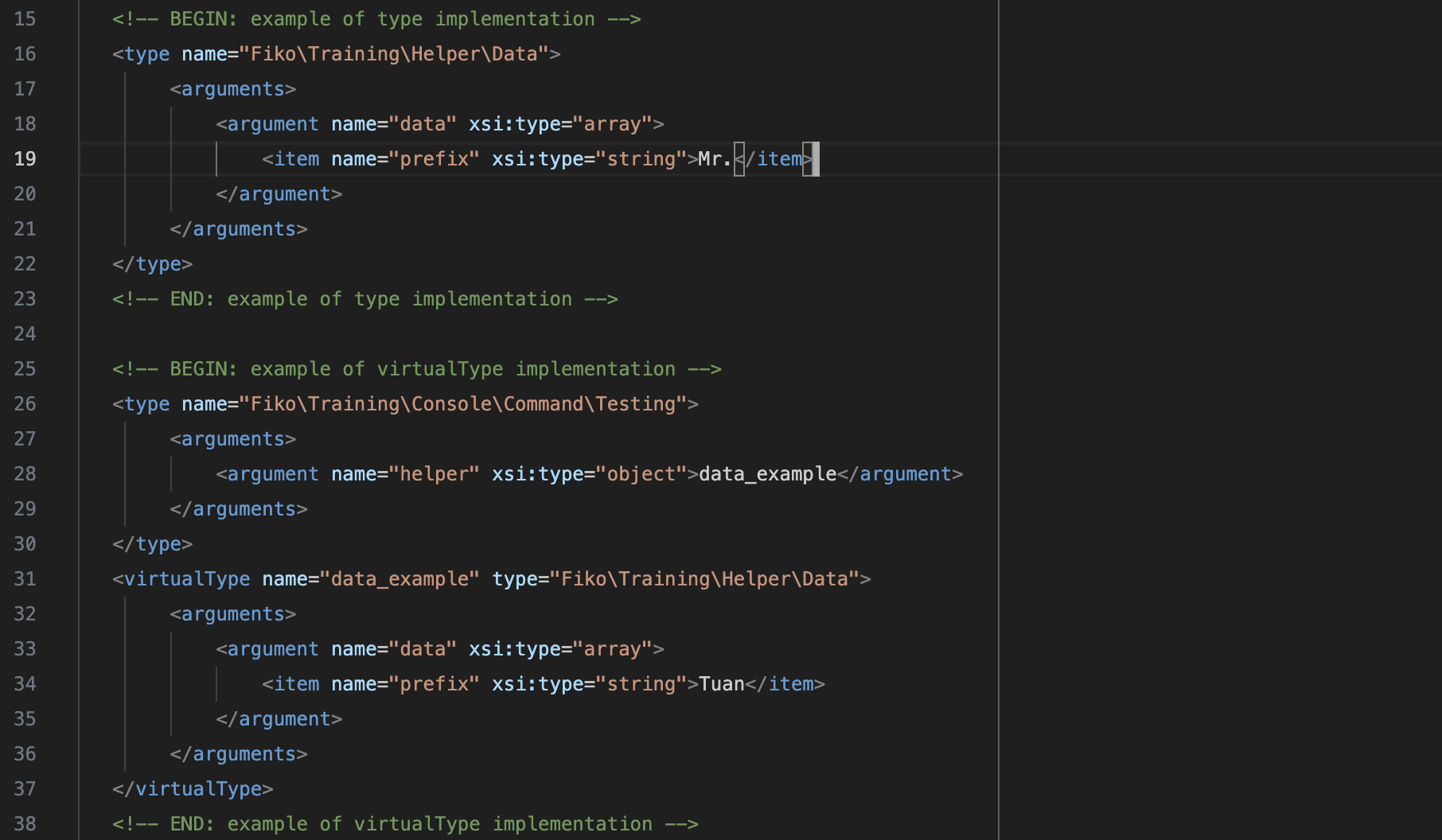
bin/magento fiko:trainingexample of type implementation, all instances use
Fiko\Training\Helper\Datawill have$data['prefix']and the value isMr..example of virtualType implementation, specifically
Fiko\Training\Helper\Dataused byFiko\Training\Console\Command\Testingwill have have$data['prefix']and the value isTuan.
References:
About the author
I wrote these tutorials for myself in future when I forget for the next steps.
Comments
Join the discussionNo comments yet. Be the first to comment.